Random Topdown Shoot
A downloadable game for Windows, macOS, and Linux
Deutsch / German:
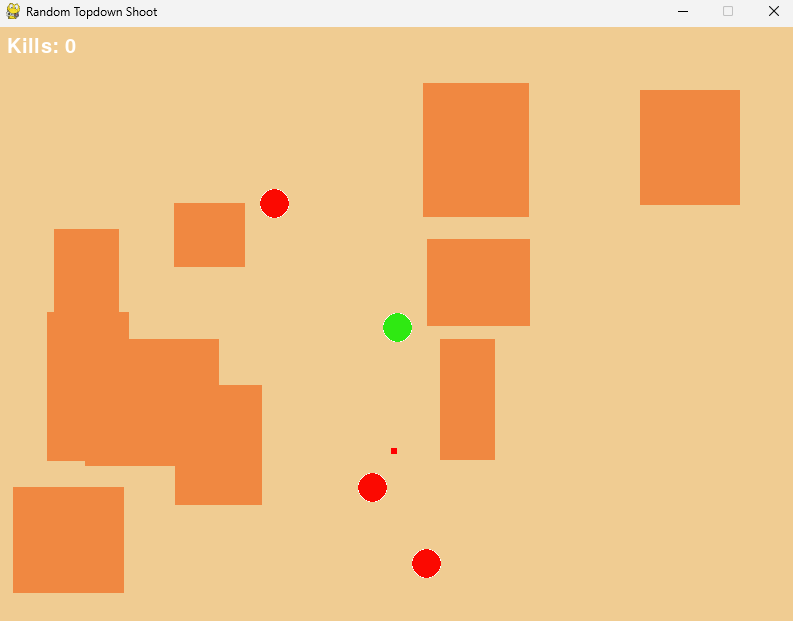
Random Topdown Shoot ist ein minimalistisches Actionspiel im Top-Down-Stil. Steuere deinen Charakter durch eine Zufalls Generierte Map aus Wänden, weiche gegnerischen Projektilen aus und eliminiere die Gegner, die dich angreifen.
Merkmale:
- Top-Down-Shooter-Gameplay: Klassische WASD-Steuerung mit Mausziel für präzises Schießen.
- Gegener-KI: Gegen gegen sich auf und schieben, wenn sie Sicht auf den Spieler haben.
- Vollbildmodus: Per F11-Taste umschaltbar, das Spiel skaliert dynamisch auf die Bildschirmgrüße.
- Skaliertes Spielfeld: Die Spielwelt kann auf 800×600 Pixel eingestellt werden, egal wie groß dein Monitor ist.
- Soundeffekte: Schuhe und Treffer sorgen für eine intensive Spielerlebnis.
- Kollisionslogik: Spieler und Gegner bleiben innerhalb des Spielfelds; Hände blockieren Bewegungen und Schüsse.
- Einfache Kartengenerierung: Bei jedem Durchgang werden Wörter und Gegen zufällig platziert, für neue Herausordnungen.
Installation:
- Stelle sicher, dass Python 3.x und Pygame installiert sind.
- Lade das komplette Spielverzeichnis herunter, inklusive der
Assets-Ordner für Sounds und Texturen. - Führe das Spiel mit
python "random topdown shoot.py"aus.
Steuerung:
W/A/S/D– Bewegung- Maus – Richtung zum Schießen
- Linksklick – Schuss abfeuern
F11– Vollbildmodus umschalten
Hinweis: Alle Pfade zu Sounds und Texturen sind relativ zum Spielordner. Stelle sicher, dass der Assets-Ordner unverändert bleibt.
Englisch / Englisch:
Random Topdown Shoot ist ein minimalistisches Actionspiel im Top-Down-Stil. Steuern Sie Ihren Charakter durch eine zufällig generierte Karte von Wänden, weichen Sie feindlichen Projektilen aus und eliminieren Sie die Gegner, die Sie angreifen.
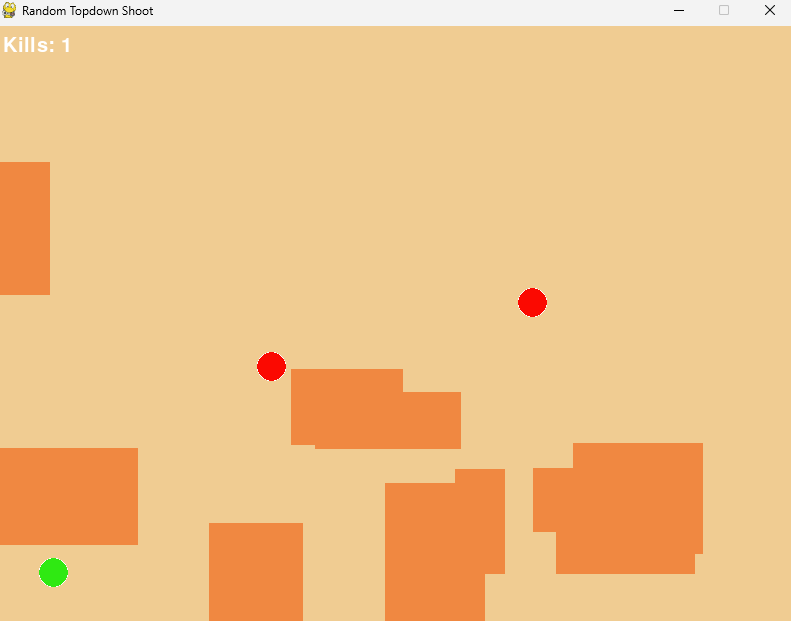
Random Topdown Shoot is a minimalist top-down action game. Control your character through a randomly generated map of walls, dodge enemy projectiles, and eliminate the enemies that attack you.
Features:
- Top-Down Shooter Gameplay: Classic WASD controls with mouse aiming for precise shooting.
- Enemy AI: Enemies move randomly and shoot when they have line of sight to the player.
- Fullscreen Mode: Toggleable with the F11 key, the game dynamically scales to the screen size.
- Scaled Playfield: The game world remains at 800×600 pixels, regardless of your monitor size.
- Sound Effects: Gunshots and hits create an intense gaming experience.
- Collision Logic: Players and enemies stay within the playfield; walls block movement and shots.
- Simple Map Generation: Walls and enemies are randomly placed in each run, offering new challenges every time.
Installation:
- Make sure Python 3.x and Pygame are installed.
- Download the complete game directory, including the
Assetsfolder for sounds and textures. - Run the game with
python "random topdown shoot.py".
Controls:
W/A/S/D– Move- Mouse – Aim
- Left click – Shoot
F11– Toggle fullscreen mode
Note: All paths to sounds and textures are relative to the game folder. Ensure the Assets folder remains unchanged.
Installation:Make sure that Python 3.x and Pygame are installed.Download the complete game directory, including the Assets folder for sounds and textures.Run the game with python "random topdown shoot.py".Controls:W/A/S/D – MovementMouse – Direction to shootLeft click – Fire shotF11 – Toggle fullscreen modeNote: All paths to sounds and textures are relative to the game folder. Make sure to keep the Assets folder unchanged.
Download
Install instructions
Installation:
German / Deutsch:
- Stelle sicher, dass Python 3.x und Pygame installiert sind.
- Lade das komplette Spielverzeichnis herunter, inklusive der
Assets-Ordner für Sounds und Texturen. - Führe das Spiel mit
python "random topdown shoot.py"aus
Englisch / Englisch:
Make sure that Python 3.x and Pygame are installed.Download the complete game directory, including the Assets folder for sounds and textures.Run the game with python "random topdown shoot.py".Controls:W/A/S/D – MovementMouse – Direction to shootLeft click – Fire shotF11 – Toggle fullscreen modeNote: All paths to sounds and textures are relative to the game folder. Make sure to keep the Assets folder unchanged.
Leave a comment
Log in with itch.io to leave a comment.